
Short Featured Snippet
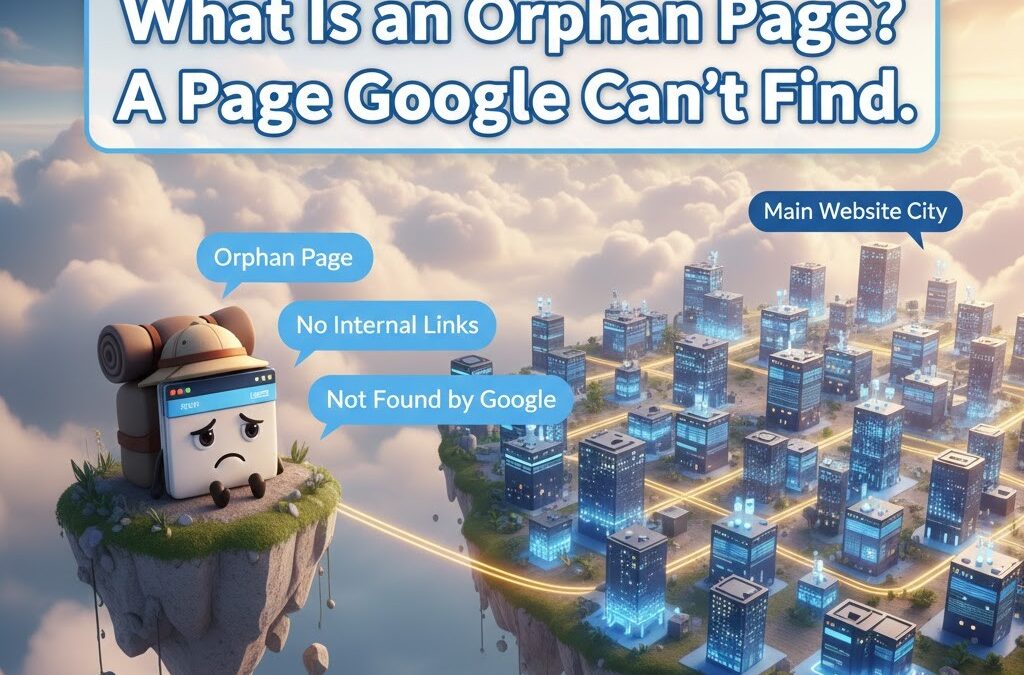
Orphan pages in SEO are pages on your website that have no internal links pointing to them. Search engines cannot easily find these pages, so they stay unindexed or rank poorly. Fixing orphan pages involves identifying them, linking them from relevant pages, adding them to your navigation structure, and ensuring they fit into your site architecture. When you fix orphan pages, your website becomes stronger, more crawlable, and more likely to rank higher.
Contents
- 1 Introduction
- 2 What Are Orphan Pages in SEO?
- 3 Why Do Orphan Pages in SEO Hurt Rankings?
- 4 How Do Search Engines Treat Orphan Pages in SEO?
- 5 What Causes Orphan Pages in SEO?
- 6 How Do Orphan Pages Affect User Experience and Revenue?
- 7 How Can You Identify Orphan Pages in SEO?
- 8 What Tools Help Detect Orphan Pages in SEO?
- 9 How Do You Fix Orphan Pages in SEO?
- 10 Should Every Orphan Page Be Fixed?
- 11 How Do Orphan Pages in SEO Impact Crawl Budget?
- 12 How Do Orphan Pages in SEO Affect Topical Authority?
- 13 How Does Orphan Pages in SEO Impact Internal Link Equity?
- 14 How Do Orphan Pages in SEO Affect Site Architecture?
- 15 What Happens When Orphan Pages in SEO Are Ignored?
- 16 How Should You Categorize and Prioritize Orphan Pages in SEO?
- 17 What Is the Best Way to Fix Orphan Pages in SEO Through Internal Linking?
- 18 How Can You Prevent Orphan Pages in SEO During Content Creation?
- 19 Why Are Orphan Pages in SEO Common on WordPress Sites?
- 20 How Do Orphan Pages in SEO Affect Indexing in Google Search Console?
- 21 Can Orphan Pages in SEO Affect Your Backlink Strategy?
- 22 How Do Orphan Pages in SEO Impact E-E-A-T Signals?
- 23 How Do Orphan Pages in SEO Influence Content Performance Metrics?
- 24 How Can You Use Topic Clusters to Fix Orphan Pages in SEO?
- 25 How Can Redirects Help Fix Orphan Pages in SEO?
- 26 How Do You Decide Whether to Delete Orphan Pages in SEO?
- 27 What Role Do Sitemaps Play in Preventing Orphan Pages in SEO?
- 28 What Happens When Orphan Pages in SEO Receive External Backlinks?
- 29 How Can You Use Analytics to Track Improvements After Fixing Orphan Pages in SEO?
- 30 How Do Orphan Pages in SEO Affect Site Speed and Technical Health?
- 31 Can Orphan Pages in SEO Cause Duplicate Content Issues?
- 32 How Frequently Should You Audit Orphan Pages in SEO?
- 33 What Is the Long-Term Impact of Fixing Orphan Pages in SEO?
- 34 Conclusion
- 35 25 FAQs
- 35.1 1. What are orphan pages in SEO?
- 35.2 2. Why do orphan pages hurt rankings?
- 35.3 3. How do I know if I have orphan pages?
- 35.4 4. Can orphan pages get indexed?
- 35.5 5. Do orphan pages affect crawl budget?
- 35.6 6. Should I fix every orphan page?
- 35.7 7. How do I fix orphan pages quickly?
- 35.8 8. Are orphan pages common on WordPress sites?
- 35.9 9. Do orphan pages affect E-E-A-T?
- 35.10 10. Can orphan pages cause duplicate content?
- 35.11 11. How often should I audit for orphan pages?
- 35.12 12. What tools find orphan pages best?
- 35.13 13. Can a page become orphaned accidentally?
- 35.14 14. Do sitemaps fix orphan pages?
- 35.15 15. Should I delete thin orphan pages?
- 35.16 16. Can orphan pages have backlinks?
- 35.17 17. Do orphan pages affect conversion paths?
- 35.18 18. What causes orphan pages most often?
- 35.19 19. Are orphan product pages harmful for ecommerce?
- 35.20 20. How do orphan pages impact topical authority?
- 35.21 21. Should orphan pages be added to navigation?
- 35.22 22. Does Google penalize orphan pages?
- 35.23 23. Can orphan pages cause index bloat?
- 35.24 24. How do redirects help?
- 35.25 25. What is the best long-term solution?
Introduction
Most websites have hidden problems that silently hurt their rankings. One of the most damaging issues is orphan pages in SEO. These pages exist on your site but live completely disconnected from the rest of your content. Search engines cannot find them, users cannot reach them, and your hard work goes unnoticed.
This article explains everything about orphan pages in SEO, why they matter, the risks they create, and how to fix them using simple steps. The goal is to help you improve your rankings, strengthen your site structure, and make sure every page contributes to your overall SEO performance.
What Are Orphan Pages in SEO?
Orphan pages in SEO are any pages on your website that do not receive internal links from other pages. They exist, but they are isolated. Search engines depend on internal links to discover pages, understand structure, and index content. Without links, these pages become invisible.
An orphan page can be:
- A blog post
- A landing page
- A product page
- A category page
- A past campaign page
- A test page accidentally published
- A page created by plugins or CMS systems
If no other page links to it, it becomes an orphan.
Why Do Orphan Pages in SEO Hurt Rankings?
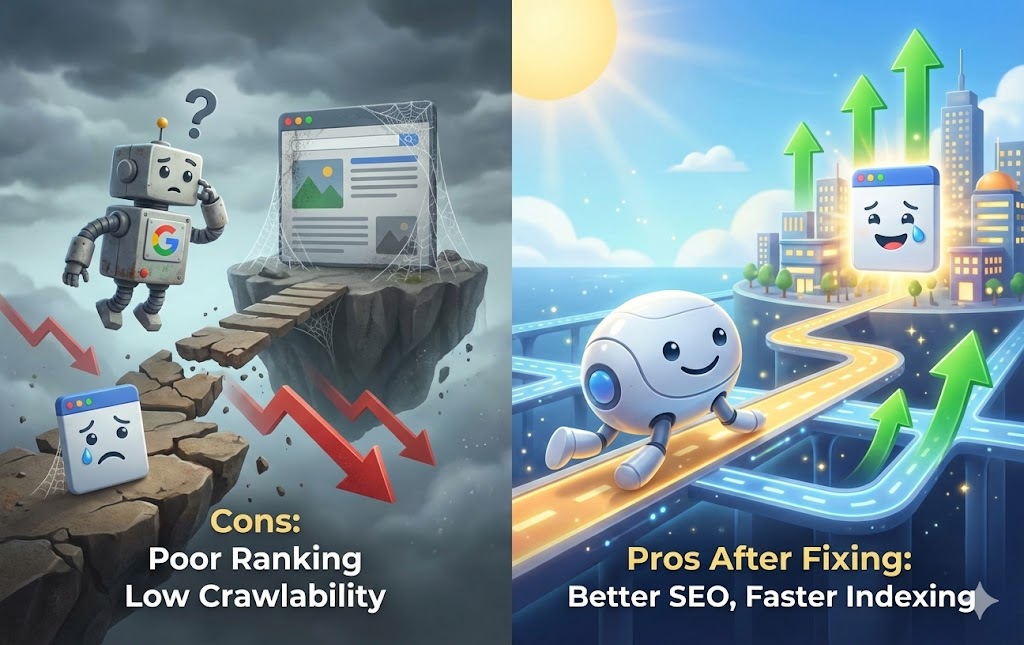
Orphan pages in SEO cause ranking problems because search engines depend on links to crawl and evaluate your site. When they cannot find a page, they cannot index it. If they cannot index it, it can never rank.
Orphan pages also make your site appear weak because:
- They break the site architecture.
- They ruin your topical hierarchy.
- They make your crawl budget inefficient.
- They confuse search engines about page importance.
Every page on your site must connect to other pages to help search engines understand your topics and authority.
How Do Search Engines Treat Orphan Pages in SEO?
Search engines rely on two things to discover pages:
- Your XML sitemap
- Internal links
If a page is only in the sitemap but has no internal links, Google considers it low value.
Orphan pages in SEO:
- Get delayed indexing
- Lose ranking power
- Might never appear in search results
- Receive zero SEO signals from other pages
- Are treated as unimportant
Search engines focus on connected pages, not forgotten ones.
What Causes Orphan Pages in SEO?
There are many reasons orphan pages appear. Most of them are accidental.
Here are the most common causes:
- Publishing content but forgetting to link it from other pages
- Removing pages that used to link to the page
- Broken internal links
- Poor site planning
- Website redesigns that leave pages out
- Auto-generated pages from plugins or CMS tools
- Old campaigns that are not redirected
- Mismanaged blog categories or tags
These issues stack up over time, especially on growing sites.
How Do Orphan Pages Affect User Experience and Revenue?
Orphan pages in SEO do not only affect rankings. They also hurt user experience and conversions.
Because these pages are hidden:
- Visitors never discover them
- Valuable information stays unused
- Important funnels remain broken
- Conversion paths weaken
- Authority signals are wasted
- Advertisers and social links lead to dead ends
A page that no one sees cannot convert or generate results.
How Can You Identify Orphan Pages in SEO?
Identifying orphan pages requires checking both crawl data and analytics data.
You can use:
- Google Search Console
- Google Analytics
- Screaming Frog
- Ahrefs Site Audit
- Semrush Site Audit
- Sitebulb
- Manual URL checks
- CMS page reports
The key is to compare:
Pages in your sitemap
vs
Pages discovered through internal links
Pages found in the sitemap but not in the crawl are usually orphan pages.
What Tools Help Detect Orphan Pages in SEO?
Here are the most reliable tools:
- Screaming Frog (Crawl + Sitemap comparison)
- Ahrefs (Orphan pages report)
- Semrush (Internal linking audit)
- Sitebulb (Visual architecture mapping)
- JetOctopus (Crawl analysis)
- Google Analytics (Landing pages list)
- Google Search Console (Indexed pages vs linked pages)
These tools show pages that exist but are not connected.
How Do You Fix Orphan Pages in SEO?
Fixing orphan pages is simple once you identify them.
You can:
- Link them from relevant blogs
- Add them to categories or menus
- Include them in pillar pages
- Add contextual links
- Place them in your sitemap
- Redirect low-quality orphan pages
- Merge them with related content
Each fix improves visibility and relevance.
Should Every Orphan Page Be Fixed?
Not always. Some pages should be deleted or redirected.
Fix orphan pages that:
- Provide value
- Support SEO
- Answer search queries
- Have traffic potential
- Fit into site structure
Delete or redirect pages that:
- Are thin
- Are duplicates
- Are outdated
- Have zero value
- Were created accidentally
Good SEO is not about having more pages. It is about having the right pages connected properly.
How Do Orphan Pages in SEO Impact Crawl Budget?
Orphan pages in SEO waste crawl budget because Google cannot reach these pages through normal navigation routes. Search engines allocate a limited number of crawl requests to each site. When some pages remain hidden, search engines spend their crawl budget inefficiently.
This leads to:
- Slow discovery of new pages
- Delayed indexing
- Missed updates on important pages
- Lower crawl frequency for your best content
If your site has dozens or hundreds of orphan pages, your crawl budget becomes unbalanced. Pages that deserve attention may not get crawled because Google does not view the overall structure as healthy.
Search engines expect strong internal linking to guide crawlers. When your site contains disconnected pages, it signals poor organization, and Google may crawl your site less often.
How Do Orphan Pages in SEO Affect Topical Authority?
Topical authority grows when all pages in a subject cluster link to each other. Orphan pages in SEO break that structure. They sit outside your topical map and cannot support or receive authority.
This causes:
- Weak keyword clusters
- Lower authority for high-value pages
- Reduced relevance signals
- Confusing semantic relationships
For example, if you write a detailed guide but forget to link it to the parent topic page, Google may not connect it with the rest of your cluster. That page stays isolated and fails to boost your domain’s authority.
Topical authority requires coherence. Orphan pages disrupt that coherence and make your content ecosystem weaker.
How Does Orphan Pages in SEO Impact Internal Link Equity?
Internal links distribute authority throughout your website. When a page receives internal links, it gains ranking power. When it receives none, it gains nothing.
Orphan pages in SEO:
- Receive zero link equity
- Cannot pass value to other pages
- Remain weak even if the content is excellent
Even high-quality pages cannot rank without link equity. Google treats internal links as signals of importance. When a page lacks them, Google sees it as low priority.
Fixing orphan pages allows you to feed them ranking power from your strongest pages.
How Do Orphan Pages in SEO Affect Site Architecture?
Site architecture helps search engines understand how your content is structured. A good architecture is like a clean map. Orphan pages in SEO distort that map because they do not belong anywhere.
This leads to:
- Broken content paths
- Gaps in topic clusters
- Disconnected navigation
- Reduced indexing consistency
- Confusion about page importance
Your site should operate like a well-organized library. Orphan pages are like books that were never placed on any shelf. They exist, but no one can find them.
Fixing them means placing content in the right place within your architecture.
What Happens When Orphan Pages in SEO Are Ignored?
If orphan pages remain unfixed, the negative effects compound over time.
Long-term issues include:
- Ranking losses
- Poor index coverage
- Weak topical authority
- Lower domain trust
- User confusion
- Wasted resources
- Reduced organic traffic
Search algorithms rely heavily on structural quality. Ignoring orphan pages weakens the overall site signals.
Small issues eventually grow into major SEO obstacles.
How Should You Categorize and Prioritize Orphan Pages in SEO?
To fix orphan pages effectively, you must categorize them first. Not every page deserves repair.
Sort them into three groups:
Group 1: High-Value Pages
These are pages that matter for SEO.
They include:
- Landing pages
- Blogs
- Product pages
- Service pages
- Evergreen content
These should be fixed immediately.
Group 2: Medium-Value Pages
These pages may not drive traffic but still matter for users or navigation.
They include:
- About pages
- Internal resource pages
- Category pages
- Informational FAQs
These should be fixed after priority pages.
Group 3: Low-Value Pages
These pages may not deserve to stay live.
They include:
- Old campaigns
- Duplicate content
- Test drafts
- Thin pages
- Empty category pages
These pages should be deleted or redirected.
Prioritization ensures your SEO improvements have maximum impact.
What Is the Best Way to Fix Orphan Pages in SEO Through Internal Linking?
The fastest solution is adding internal links. You can use:
- Contextual links within content
- Navigation links
- Category or hub links
- Breadcrumb links
- Footer links
- Sidebar links
- Related posts sections
The most effective method is contextual links placed inside relevant paragraphs. This helps Google understand the semantic connection between pages.
For example:
If you have a page about “SEO audit techniques,” link it from articles about “technical SEO,” “crawlability,” or “internal linking.”
Relevance always matters more than volume.
How Can You Prevent Orphan Pages in SEO During Content Creation?
Prevention is easier than fixing.
Here are key practices:
- Always link new pages to at least two existing pages
- Add the page to the correct category
- Connect the page to its parent topic
- Include links to it in related articles
- Update your sitemap automatically
- Maintain a site structure checklist
- Map each content piece to a topic cluster
Teams often publish without thinking about internal linking. A simple workflow solves this.
Why Are Orphan Pages in SEO Common on WordPress Sites?
WordPress sites often generate orphan pages unintentionally because:
- Plugins create system pages
- Themes generate templates
- Categories and tags create empty URLs
- Page builders duplicate pages
- Drafts get published accidentally
- Old projects remain unlinked
WordPress flexibility is both powerful and risky. Without careful management, orphan pages appear naturally.
Performing regular audits is the best way to control them.
How Do Orphan Pages in SEO Affect Indexing in Google Search Console?
Google Search Console shows indexing problems when orphan pages exist.
Common GSC signals include:
- “Indexed, not submitted in sitemap”
- “Discovered – currently not indexed”
- “Crawled – currently not indexed”
- “Duplicate without user-selected canonical”
- “Alternate page with proper canonical tag”
Orphan pages often fall under “Discovered – currently not indexed” because Google sees them but does not prioritize them.
This is a sign of poor internal linking and low perceived importance.
Can Orphan Pages in SEO Affect Your Backlink Strategy?
Yes, orphan pages weaken your backlink profile. Even if a page attracts external links, it may not pass value to your site if internal linking is missing.
Effects include:
- Wasted link authority
- Weak ranking impact
- Lower domain strength
- Untapped external signals
All backlinks should flow into your site structure. Orphan pages block that flow.
Connecting them ensures backlink value spreads throughout your domain.
How Do Orphan Pages in SEO Impact E-E-A-T Signals?
E-E-A-T requires:
- Expertise
- Authoritativeness
- Trustworthiness
Orphan pages damage this because they show poor organization. Google values structured, reliable, well-managed websites. Disconnected pages send the opposite signal.
Orphan pages show:
- Weak structure
- Poor maintenance
- Lack of editorial oversight
Fixing them strengthens your perceived quality, which improves trust and ranking signals
How Do Orphan Pages in SEO Influence Content Performance Metrics?
Content performance metrics help you understand whether your pages are doing well. These include impressions, clicks, time on page, conversions, and bounce rate. When you have orphan pages in SEO, these metrics suffer because the pages do not receive visibility.
Effects include:
- Very low impressions
- Near-zero clicks
- No engagement
- No conversions
- Inaccurate analytics data
Because users seldom reach orphan pages, your data becomes unreliable. You cannot measure what works and what needs improvement.
Fixing orphan pages restores data accuracy and ensures every page contributes to your overall performance.
How Can You Use Topic Clusters to Fix Orphan Pages in SEO?
Topic clusters create a clear structure where multiple related pages link to each other and support a central pillar page. Orphan pages in SEO disrupt these clusters, so adding them back strengthens your broader content strategy.
Steps to use topic clusters effectively:
- Identify your main pillar pages.
- Map each orphan page to the correct cluster.
- Add links from the pillar page to the orphan page.
- Add links from related cluster pages.
- Add reverse links back to the pillar.
This rebuilds the topical network and restores authority flow.
Topic clusters help Google understand relationships between content, boosting your overall rankings.
How Can Redirects Help Fix Orphan Pages in SEO?
Redirects are useful when a page does not deserve to stay live. If an orphan page has thin content, duplicate content, or outdated information, redirecting it to a relevant page helps preserve SEO value.
Benefits of redirects:
- Consolidates authority
- Maintains link equity
- Repairs page flow
- Simplifies site structure
- Prevents indexing problems
You should apply redirects when fixing the page is not possible or does not provide value. Redirects keep your site clean and efficient.
How Do You Decide Whether to Delete Orphan Pages in SEO?
Not all pages should be saved. Some pages may harm your SEO more than help.
Delete orphan pages when:
- Content is extremely outdated
- Content is thin and cannot be improved
- Page duplicates another page
- Page exists for temporary purposes
- Page was created by mistake
- Page receives no traffic and has no search demand
Deleting useless content improves overall site quality. Fewer but stronger pages rank better than many forgotten ones.
What Role Do Sitemaps Play in Preventing Orphan Pages in SEO?
Sitemaps help search engines discover pages, but they cannot replace internal links. Orphan pages in SEO often appear because site owners believe sitemaps are enough.
A sitemap:
- Helps Google find URLs
- Supports indexing
- Shows content structure
But a sitemap alone cannot:
- Pass authority
- Establish relevance
- Build topical connections
- Strengthen clusters
Internal links remain the core of SEO. Sitemaps simply support them.
What Happens When Orphan Pages in SEO Receive External Backlinks?
Sometimes an orphan page receives backlinks from other sites. This can happen if the content is shared or referenced externally.
However, without internal links:
- Backlink value stays locked
- Link equity cannot flow
- Page still struggles to rank
- Authority fails to spread
- Overall SEO impact is limited
Fixing the orphan page allows those external backlinks to strengthen your entire domain.
How Can You Use Analytics to Track Improvements After Fixing Orphan Pages in SEO?
After fixing orphan pages, you should track improvements to measure success.
Monitor:
- Impressions in Google Search Console
- Clicks and CTR
- Indexing status
- Ranking improvements
- User engagement
- Conversion activity
- Traffic paths
These metrics typically improve when pages are connected correctly. Tracking them helps refine your strategy and ensures your fixes worked.
How Do Orphan Pages in SEO Affect Site Speed and Technical Health?
Orphan pages do not directly slow down your website, but they create technical clutter. A bloated, unorganized site contributes to:
- Larger sitemaps
- Increased crawl load
- Confusing architecture
- Poor URL hygiene
These factors can indirectly harm performance. A streamlined site runs better and receives more efficient crawling.
Can Orphan Pages in SEO Cause Duplicate Content Issues?
Yes. Some orphan pages exist because they were duplicated or automatically generated. These pages often:
- Target similar keywords
- Repeat content
- Cause canonical conflicts
- Trigger indexing issues
Fixing or deleting these pages prevents duplicate content problems and preserves your canonical structure.
How Frequently Should You Audit Orphan Pages in SEO?
You should audit your site at least:
- Once every quarter
- After major content updates
- After redesigns
- Before seasonal campaigns
- After CMS migrations
Frequent audits ensure orphan pages in SEO do not return. Many sites unintentionally create new orphan pages during growth, so regular checks are essential.
What Is the Long-Term Impact of Fixing Orphan Pages in SEO?
The long-term benefits are significant.
After fixing orphan pages, you can expect:
- Higher rankings
- Improved index coverage
- Stronger topical authority
- Better internal linking
- Greater crawl efficiency
- Stronger content clusters
- Higher organic traffic
- Faster discovery of new pages
- Clearer site structure
Fixing orphan pages strengthens your entire SEO foundation.
Conclusion
Orphan pages in SEO are silent threats that weaken your website’s visibility, authority, and ranking potential. They break your structure, block internal link equity, and confuse search engines. The good news is that fixing them is simple and highly effective.
By identifying orphan pages, reconnecting them through internal links, optimizing site architecture, improving content quality, and removing unnecessary pages, you restore balance and strength to your SEO framework.
Every page on your site should have a purpose, a place, and a connection. When you fix orphan pages, your entire website becomes more discoverable, more organized, and more rewarding for search engines and users.
If you want a complete SEO audit or need help fixing your orphan pages, visit my service page here: Digital Geetha, Best SEO expert in UAE
25 FAQs
1. What are orphan pages in SEO?
Orphan pages in SEO are pages with no internal links pointing to them. Search engines struggle to find and index these pages.
2. Why do orphan pages hurt rankings?
They lack link equity and are often ignored by crawlers. This reduces their visibility and ranking potential.
3. How do I know if I have orphan pages?
You can use tools like Screaming Frog, Ahrefs, or Semrush. Comparing your sitemap with crawled URLs reveals them.
4. Can orphan pages get indexed?
Sometimes they can, but indexing is inconsistent. Without internal links, they rarely rank well.
5. Do orphan pages affect crawl budget?
Yes, they waste crawl budget because search engines cannot reach them efficiently. This slows overall crawling.
6. Should I fix every orphan page?
No, only fix pages that add value. Low-quality pages should be deleted or redirected.
7. How do I fix orphan pages quickly?
Add contextual internal links from relevant pages. Also include them in menus or category structures.
8. Are orphan pages common on WordPress sites?
Yes, because plugins, themes, and auto-generated pages often create unnecessary URLs. Many stay unlinked.
9. Do orphan pages affect E-E-A-T?
Yes, they show poor site structure and organization. This weakens trust and authority signals.
10. Can orphan pages cause duplicate content?
They often do if generated automatically. Duplicate pages confuse search engines.
11. How often should I audit for orphan pages?
Quarterly audits are ideal. Also audit after redesigns or migrations.
12. What tools find orphan pages best?
Ahrefs and Screaming Frog are most reliable. Both compare internal links with sitemaps.
13. Can a page become orphaned accidentally?
Yes, especially during site updates, restructuring, or if linking pages are deleted. These pages lose their connections.
14. Do sitemaps fix orphan pages?
No, sitemaps help discovery but cannot replace internal links. Link equity and relevance still require internal linking.
15. Should I delete thin orphan pages?
Yes, deleting thin or outdated pages improves site quality. Redirect them only if needed.
16. Can orphan pages have backlinks?
Yes, but the value is wasted. Without internal links, the authority cannot flow.
17. Do orphan pages affect conversion paths?
Yes, users cannot reach them. This breaks funnels and reduces conversions.
18. What causes orphan pages most often?
Publishing new content without linking forms the biggest cause. Broken links and redesigns also contribute.
19. Are orphan product pages harmful for ecommerce?
Yes, they can block search visibility for inventory. This directly affects sales.
They weaken clusters by sitting outside the topic network. This reduces overall authority.
Only if they fit the structure. Otherwise, use contextual links.
22. Does Google penalize orphan pages?
Not directly, but they are treated as low value. This keeps them from ranking.
23. Can orphan pages cause index bloat?
Yes, many unnecessary pages dilute your structure. This harms SEO quality.
24. How do redirects help?
Redirects recover value from outdated orphan pages. They keep link equity intact.
25. What is the best long-term solution?
Build a strong internal linking strategy and perform regular audits. This prevents orphan pages from returning.