

An SEO audit for a website is a step-by-step process of checking how well your site is performing in search engines. It helps you find technical issues, content gaps, slow pages, indexing problems, missing keywords, poor backlinks, and user-experience issues. A proper SEO audit for a website tells you what is wrong, why it matters, and how to fix it so your website can rank higher, load faster, and bring more organic traffic.
Contents
- 1 Introduction
- 2 What Is an SEO Audit for a Website?
- 3 Why an SEO Audit for a Website Matters
- 4 Chapter 1: Technical SEO Audit
- 5 Chapter 2: On-Page SEO Audit
- 6 Chapter 3: Content Audit
- 7 Chapter 4: Keyword Audit
- 8 Chapter 5: Competitor Audit
- 9 Chapter 6: Backlink Audit
- 10 Chapter 7: User Experience (UX) Audit
- 11 Chapter 8: Conversion Rate Optimization (CRO) Audit
- 12 Chapter 9: Complete SEO Audit Checklist (Full)
- 13 Chapter 10: Conclusion
- 14 20 Frequently Asked Questions
- 14.1 1. How to do an SEO audit of a website?
- 14.2 2. How to check the SEO of a website?
- 14.3 3. Which tool is best for website SEO audit?
- 14.4 4. Can I do my own SEO audit?
- 14.5 5. What is an SEO audit for a website?
- 14.6 6. Why is an SEO audit important?
- 14.7 7. How often should I do an SEO audit?
- 14.8 8. What is included in a full SEO audit?
- 14.9 9. What is an SEO audit of a website template?
- 14.10 10. What is an SEO audit of a website PDF?
- 14.11 11. What are the best free website audit tools?
- 14.12 12. What is an SEO audit tool?
- 14.13 13. What is an SEO audit free?
- 14.14 14. What is a website audit free?
- 14.15 15. What is an SEO audit of a website example?
- 14.16 16. What is a free SEO audit report PDF?
- 14.17 17. How long does an SEO audit take?
- 14.18 18. What should I fix first in an SEO audit?
- 14.19 19. Can an SEO audit improve rankings fast?
- 14.20 20. Do I need an SEO expert to audit my website?
Introduction
If you want your website to rank high on Google, get more traffic, and bring more sales, you must start with a complete SEO audit for your website. An SEO audit works like a full health check-up. It shows what is working well and what is stopping your site from ranking.
Search engines change every day. New competitors come in. Algorithms update. User behaviour shifts. Without a regular SEO audit, a website slowly loses its ranking because small problems keep growing. A missing meta tag becomes a traffic loss. A slow page becomes a bounce. A broken link becomes a bad user experience. Fixing them early means staying ahead in search results.
In this guide, you will learn everything about running an SEO audit for a website, step by step. You will see what to check, why it matters, and how to fix each issue. You will also get a clear checklist you can follow, even if you are not a technical expert.
This guide is written in simple English so anyone can understand it. It follows Google’s Helpful Content rules, E-E-A-T principles, and semantic SEO. It is optimized for Google, Google SGE, ChatGPT, Perplexity, Gemini, voice assistants, and AI search systems.
Let’s begin with the most important areas of an SEO audit.
What Is an SEO Audit for a Website?
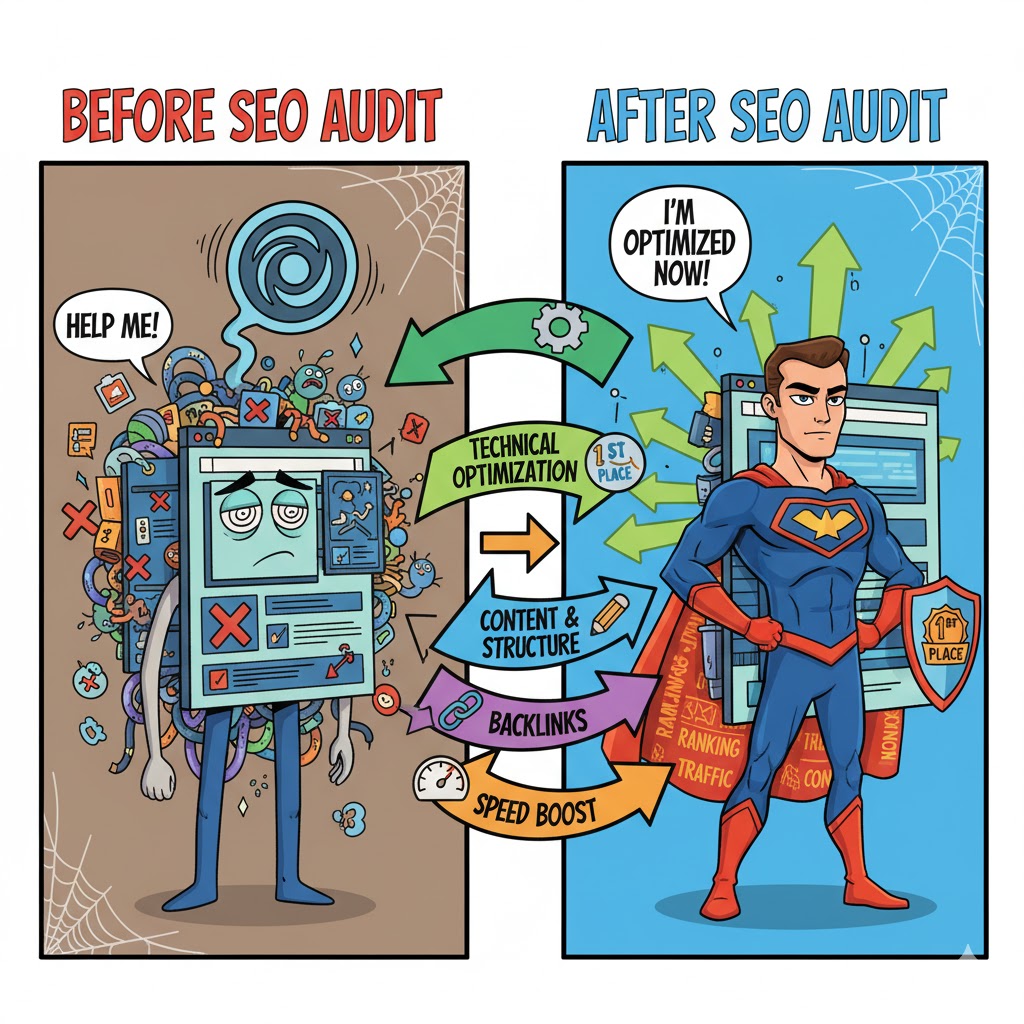
An SEO audit for a website is a full review of your website to find all the problems that affect your visibility in search results. It includes checking technical settings, on-page elements, content quality, keywords, site structure, backlinks, user experience, mobile friendliness, and speed. The purpose of an SEO audit is to fix every issue so your website can perform better in search engines.
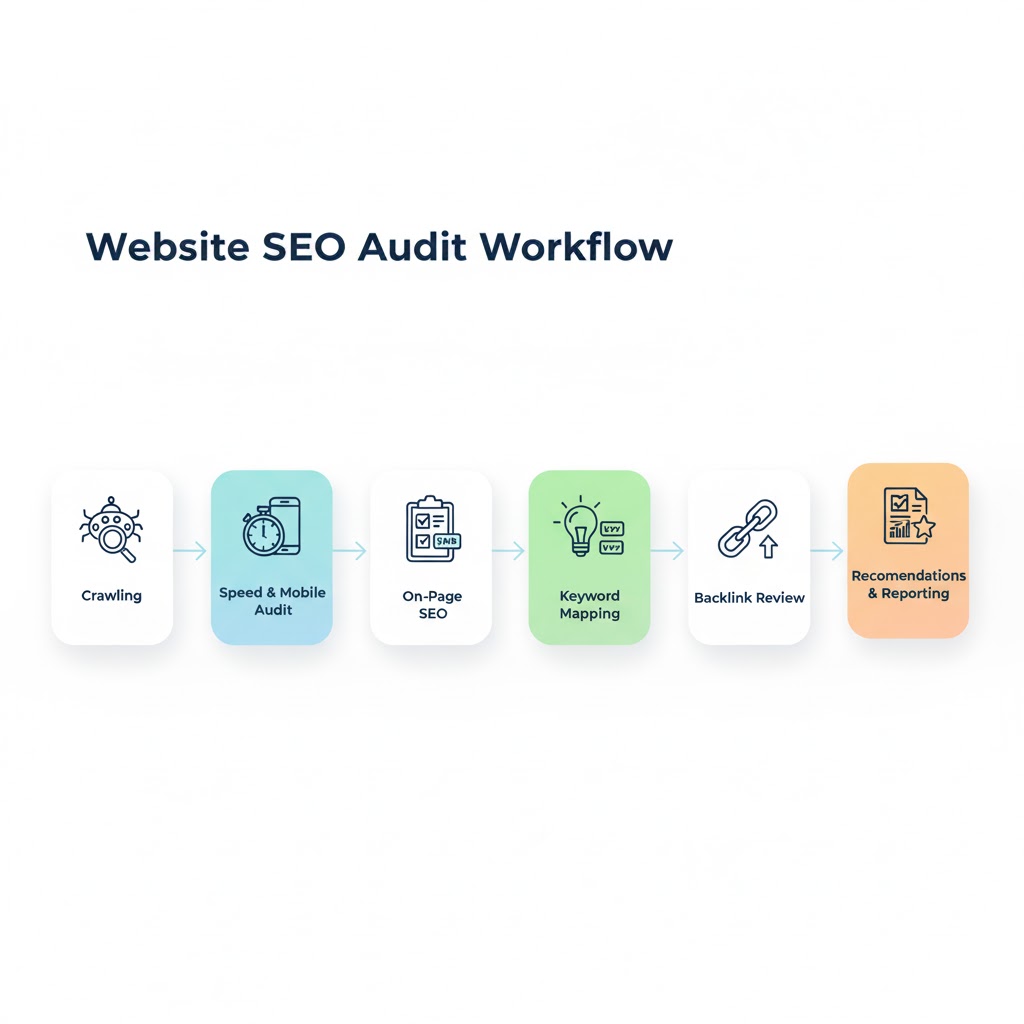
A proper SEO audit for a website checks:
- How Google crawls your pages
- How your pages are indexed
- How fast your site loads
- Whether your content matches search intent
- How well you use keywords
- Whether your links point to the right pages
- Whether your website structure helps users navigate
- How safe and secure your site is
- Whether your site is mobile-friendly
- Whether your backlinks are helping or hurting you
This process helps you find hidden problems that you cannot see on the front end.
Why an SEO Audit for a Website Matters
Google does not rank websites based only on keywords. Google now looks at hundreds of signals. If your website has technical errors, bad content structure, missing keywords, or unsafe pages, your ranking will drop no matter how strong your content is.
Here’s why an SEO audit for a website is important:
1. It shows you what is blocking your rankings
Many websites suffer from indexing issues, slow pages, duplicate content, or wrong site architecture. These issues stop search engines from understanding your pages.
2. It tells you what Google sees vs. what you think
Your website may look perfect to you, but Google may not be able to crawl it. An SEO audit exposes this gap.
3. It helps you beat competitors
You see what they are doing better than you and what you must improve.
4. It improves user experience
Search engines rank websites higher when users stay longer and find information easily.
5. It helps you grow traffic without spending money
Fixing existing problems is cheaper than running ads.
6. It prepares your site for algorithm updates
A clean, optimized website is less affected by updates.
Chapter 1: Technical SEO Audit
Technical SEO forms the base of your ranking. If your technical structure is weak, even the best content will not rank. This part of the SEO audit for a website covers the most important technical factors.
1.1 Check Website Crawlability
Google must be able to crawl your website easily. If crawling fails, indexing fails, and ranking becomes impossible.
Things to check:
- Your robots.txt file
- Crawl errors in Google Search Console
- Blocked pages
- Duplicate URLs
- Redirect errors
- Server response codes
How to check:
- Open Google Search Console → Coverage Report
- Use the URL Inspection Tool
- Check server logs for crawl patterns
- Use tools like Screaming Frog or Sitebulb
How to fix crawl issues:
- Allow important pages in robots.txt
- Remove unnecessary noindex tags
- Fix redirect chains
- Resolve 4x and 5x errors
- Keep URLs clean and simple
1.2 Check Website Indexing
Even if Google crawls your website, it may still fail to index some pages. A full indexing check is critical for a proper SEO audit for a website.
Things to check:
- Indexed pages vs. published pages
- Non-indexed important pages
- Soft 404s
- Pages with duplicate content
- Canonical tag issues
Tools to use:
- Google Search Console → Index Status
- Google “site:yourdomain.com” search
How to fix indexing issues:
- Add proper canonical tags
- Avoid duplicate content
- Improve thin content
- Remove unnecessary noindex tags
- Fix page quality issues
1.3 Check Site Speed & Core Web Vitals
Google uses speed and user experience signals to rank pages. A slow website loses traffic and sales.
Key metrics:
- LCP (Largest Contentful Paint)
- FID/INP (Input Delay)
- CLS (Layout Shift)
Tools:
- PageSpeed Insights
- GTMetrix
- Lighthouse
How to improve speed:
- Compress images
- Remove heavy scripts
- Use a CDN
- Minify CSS and JS
- Optimize hosting
- Enable caching
1.4 Check Mobile-Friendliness
More than 70% of users visit websites from mobile. A mobile-friendly site is required for ranking.
How to check:
- Google Mobile-Friendly Test
- Lighthouse Mobile Score
Fixes:
- Use responsive design
- Make text readable
- Improve button spacing
- Avoid desktop-only layouts
1.5 Check HTTPS & Security
Security is a ranking factor.
Audit Checklist:
- SSL installed
- No mixed content
- No unsafe plugins
- No outdated CMS themes
- Clean URLs
1.6 Check Website Architecture
Your site must be easy for users and search engines to navigate.
Audit Items:
- Clean menu structure
- Logical page hierarchy
- Breadcrumbs
- Internal linking
- Silo structure
Fixes:
- Group related pages
- Add contextual internal links
- Use topic clusters
Chapter 2: On-Page SEO Audit
An on-page SEO audit checks everything inside your pages. Even if your technical SEO is perfect, poor on-page elements can stop your website from ranking well. This part of the SEO audit for a website focuses on improving titles, descriptions, headings, URLs, keywords, images, and structure.
2.1 Title Tag Audit
A title tag is one of the strongest ranking signals. It tells search engines what your page is about.
What to check:
- Main keyword in the title
- Title length under 60 characters
- Clear and specific wording
- No duplication across pages
Fixes:
- Add your primary keyword near the start
- Make titles simple and descriptive
- Avoid keyword stuffing
- Write unique titles for each page
Good example:
SEO Audit for a Website: Step-by-Step Guide to Fix Issues
2.2 Meta Description Audit
Meta descriptions help with click-through rates. They must be simple, clear, and promise value.
Check for:
- 150–160 characters
- Primary keyword included naturally
- Clear call to action
- No duplicates
Fixes:
- Describe what the user will learn
- Use active voice
- Keep it readable
2.3 URL Structure Audit
URLs must be clean and easy for search engines to understand.
Good URL examples:
- /seo-audit-for-a-website
- /contact
- /services/seo-audit
Avoid:
- Long random strings and spaces
- Special characters and numbers
- Multiple slashes and Capital letters
Fixes:
- Use hyphens
- Keep URLs short
- Match URL to search intent
2.4 Heading Structure (H1, H2, H3)
Search engines read headings to understand content flow. A clean heading structure helps you rank faster.
Audit Checklist:
- One H1 per page
- Logical H2 and H3 hierarchy
- Keywords placed naturally
- Headings match user intent
Fixes:
- Rewrite headings to be clear
- Remove duplicate H1s
- Avoid overusing keywords
2.5 Keyword Optimization Audit
Many websites either use too many keywords or too few. A proper SEO audit for a website checks how naturally keywords are placed.
Check for:
- Primary keyword in H1
- Primary keyword in first paragraph
- Keywords in subheadings were natural
- LSI keywords sprinkled naturally
- Avoiding repetition
Fixes:
- Rewrite content for clarity
- Remove stuffing
- Add missing LSI terms
2.6 Content Layout Audit
Content must be easy to read. Search engines track how long users stay, scroll, click, and engage.
Check for:
- Short paragraphs
- Simple sentences
- Bullet lists
- Clear structure
- Table of contents for long pages
Fixes:
- Break long blocks of text
- Add visuals
- Improve spacing
- Add summaries
2.7 Image SEO Audit
Images help users stay longer, but they must be optimized.
Check:
- Alt text
- Compressed images
- Descriptive file names
- Lazy loading enabled
Fixes:
- Rename images
- Add alt text
- Compress large files
- Use WebP format
Chapter 3: Content Audit
Content is the core of your website. Search engines rank pages that give clear, useful information. A content audit helps you find what to improve, update, or rewrite.
3.1 How to do Content Quality Check
Check for:
- Original content
- Accurate information
- Clear explanations
- No duplicate content
- No outdated details
Fixes:
- Rewrite old content
- Add fresh insights
- Update statistics
- Add missing questions to users’ search
3.2 Search Intent Audit
Search intent tells exactly what users want. Every page must match the goal of the search.
Types:
- Informational
- Commercial
- Transactional
- Navigational
Fixes:
- Rewrite content to satisfy user goals
- Add step-by-step answers
- Keep content precise
3.3 Thin Content Audit
Thin content has very little value and harms ranking.
Check for:
- Pages under 300 words
- Pages with too much fluff
- Pages with duplicate text
Fixes:
- Expand content with value
- Add examples
- Add FAQs
- Add clearer explanations
3.4 Content Gap Analysis
A content gap means users are searching for something you haven’t covered yet.
Check:
- Competitor pages
- “People Also Ask”
- Related searches
- AI answer engine topics
Fixes:
- Add missing sections
- Cover important questions
- Match top-ranking competitors
3.5 Content Freshness Audit
Fresh content ranks faster.
Fixes:
- Update yearly guides
- Add new statistics
- Refresh outdated examples
- Add new features or steps
Chapter 4: Keyword Audit
A keyword audit helps you understand how your site uses keywords and where opportunities exist.
4.1 Check Primary Keywords
Checklist:
- Right keyword selection
- Keyword in key page elements
- Keyword density and frequency maintained
- No stuffing
Fixes:
- Add missing keywords
- Replace low-intent keywords
- Improve placement
4.2 Long-Tail Keyword Audit
Long-tail keywords rank faster and bring targeted traffic.
Check:
- Question-based keywords
- “How to” keywords
- Local keywords if needed
Fixes:
- Add to subheadings
- Use them in FAQs
- Add them to blog posts
4.3 Keyword Cannibalization Audit
Two pages targeting the same keyword can confuse Google.
Check:
- Multiple pages ranking for the same keyword
- Overlapping topics
Fixes:
- Merge pages
- Rewrite content
- Change target keywords
- Use canonical tags
Chapter 5: Competitor Audit
A competitor audit helps you understand what others are doing better.
5.1 Check Competitor Rankings
Check:
- Top 10 competitors
- Pages ranking for your keyword
- Types of content they use
Fixes:
- Match their content depth
- Add more value
- Improve structure
5.2 Check Competitor Keywords
Checklist:
- What are the Keywords they rank for
- Long-tail keywords you missed
- High-intent keywords
Fixes:
- Add those keywords to your plan
- Write better content
- Improve page authority
5.3 Competitor Content Quality
Check:
- Word count
- Heading structure
- Multimedia elements
- Depth of explanation
Fixes:
- Write deeper content
- Add more clarity
- Add unique angles
Chapter 6: Backlink Audit
Backlinks show authority. A clean backlink profile helps you rank higher. A bad link profile can drop rankings.
6.1 Check Backlink Quality
Check:
- Authority of referring domains
- Relevance of linking sites
- Anchor text
- Spam links
Fixes:
- Disavow harmful links
- Remove toxic domains
- Avoid paid spammy links
6.2 Check Anchor Text Distribution
Natural anchor text helps Google understand your content.
Audit Points:
- Branded anchors
- Generic anchors
- Partial-match anchors
- Exact-match anchors
Fixes:
- Add branded anchors
- Balance anchor types
- Avoid too many exact matches
6.3 Check Lost and Broken Backlinks
Lost backlinks reduce authority.
Fixes:
- Contact sites to restore links
- Redirect broken pages
- Replace broken links with fresh content
6.4 Competitor Backlink Gap Analysis
Check:
- Links your competitors have
- High-authority domains
- Guest posting opportunities
Fixes:
- Build links from similar domains
- Add better content
- Offer higher value
Chapter 7: User Experience (UX) Audit
A UX audit always checks how easy it is for users to use your website. Search engines always want to send people to websites that feel smooth, simple, and helpful. If your user experience is poor, your ranking can drop even if your technical SEO is strong.
Your website must help users move around easily.
Check:
- Menu is clear and simple
- Important pages visible in one click
- Breadcrumbs are present
- No broken menu items
Fixes:
- Keep the menu clean
- Add categories for better structure
- Group similar pages
- Remove unnecessary menu items
7.2 Readability Audit
Readers should understand your content quickly.
Check for:
- Short paragraphs
- Simple words
- Clear headings
- Enough spacing
Fixes:
- Rewrite long sentences
- Add subheadings
- Add visual breaks
- Remove jargon
7.3 Visual Layout Audit
A clean layout improves engagement and SEO.
Check:
- Consistent fonts
- Professional images
- Balanced spacing
- No distracting elements
Fixes:
- Use one font family
- Add quality images
- Keep design minimal
- Use clear call-to-action buttons
7.4 Mobile Experience Audit
Most users visit from mobile. A mobile-friendly website helps you rank higher.
Check:
- Text is readable
- Buttons are easy to click
- Layout does not break
- Pages fit on screen
Fixes:
- Use mobile-first design
- Increase button size
- Reduce pop-ups
- Test on different devices
Chapter 8: Conversion Rate Optimization (CRO) Audit
A CRO audit checks whether your website turns visitors into leads or customers. SEO brings traffic, and CRO converts that traffic into revenue.
8.1 CTA Audit
A call to action helps users take the next step.
Check:
- Clear CTA
- Visible placement
- Relevant wording
- Appears throughout the page
Fixes:
- Use simple statements like “Get a Free SEO Audit”
- Place CTAs after sections
- Use contrasting colours
8.2 Form Audit
Forms help users contact you, sign up, or request a service.
Check:
- Short forms
- Working fields
- Clear labels
- Mobile-friendly design
Fixes:
- Keep forms under 5 fields
- Use simple words
- Show confirmation messages
8.3 Trust Factor Audit
Trust signals increase conversions.
Check:
- Testimonials
- Case studies
- Ratings
- Certifications
- Real company information
Fixes:
- Add client results
- Add real photos
- Show your business details
- Add experience and credentials
Chapter 9: Complete SEO Audit Checklist (Full)
This checklist covers everything needed for an SEO audit for a website.
9.1 Technical SEO Checklist
- Mobile-friendly test
- Page speed test
- Indexing check
- XML sitemap
- Robots.txt
- HTTPS security
- Core Web Vitals
- Canonical tags
9.2 On-Page SEO Checklist
- Title tag optimization
- Meta description rewrite
- URL structure
- Heading hierarchy
- Keyword placement
- Image alt text
- Internal linking
9.3 Content Audit Checklist
- Content depth
- Content originality
- Search intent match
- Thin content fix
- Updated examples
- Add FAQs
- Fix outdated pages
9.4 Keyword Audit Checklist
- Primary keyword placement
- LSI keywords
- Long-tail keywords
- Keyword cannibalization
- Keyword frequency
9.5 Competitor Audit Checklist
- Competitor keywords
- Competitor content depth
- Competitor backlink sources
- Missing content opportunities
9.6 Backlink Audit Checklist
- Toxic links
- Authority links
- Lost links
- Anchor text distribution
- Competitor backlink gap
9.7 UX Audit Checklist
- Navigation
- Readability
- Design structure
- Mobile layout
9.8 CRO Audit Checklist
- CTA placement
- Lead forms
- Trust signals
- Engagement patterns
Chapter 10: Conclusion
An SEO audit for a website is the first step toward improving your online visibility, ranking higher on search engines, and giving your users a smooth experience.
When you follow a clear and structured checklist, you can identify issues early, resolve them quickly, and increase your website traffic. A full SEO audit helps you understand what works, what needs improvement, and how to build a strong foundation for long-term results.
If you want a complete and detailed SEO audit for your website, including a professional PDF report, competitor analysis, keyword strategy, and action plan, you can request a customized audit. I can provide a clear breakdown of what to fix and how to improve your ranking step by step.
Contact now to get a complete SEO audit and boost your website performance with a clear, proven strategy.
20 Frequently Asked Questions
1. How to do an SEO audit of a website?
You can do an SEO audit by checking technical issues, on-page elements, content quality, backlinks, site speed, mobile usability, and user experience. Follow a checklist and review each area step by step.
2. How to check the SEO of a website?
You can use free tools such as Google Search Console, PageSpeed Insights, Ahrefs Webmaster Tools, or online audit tools to check indexing, keywords, speed, errors, and ranking issues.
3. Which tool is best for website SEO audit?
Some of the top tools are Ahrefs, SEMrush, Screaming Frog, Google Search Console, and Sitebulb. These tools provide detailed reports on technical and on-page issues.
4. Can I do my own SEO audit?
Yes. Anyone can do a basic SEO audit by following a structured checklist. Tools make the process easier, but you can manually review many sections.
5. What is an SEO audit for a website?
An SEO audit for a website is a complete review of technical, on-page, and content issues that affect ranking. Professionals like Digital Geetha perform detailed audits to find errors, improve visibility, and make websites perform better on search engines.
6. Why is an SEO audit important?
An SEO audit is important because it helps you understand what is stopping your website from ranking well. When done correctly by an expert such as Digital Geetha, it highlights technical issues, content gaps, and performance problems that must be fixed to grow organic traffic.
7. How often should I do an SEO audit?
Most websites should do a full SEO audit every 6 to 12 months. Growing businesses or websites managed by freelancers like Digital Geetha often prefer quarterly audits to stay ahead of competitors and quickly fix ranking issues.
8. What is included in a full SEO audit?
A full SEO audit includes technical SEO, on-page optimization, content review, keyword analysis, backlink study, UX checks, and speed tests. Professionals such as Digital Geetha also include competitor analysis and a step-by-step action plan.
9. What is an SEO audit of a website template?
This is a ready-made checklist or document format used to perform an SEO audit quickly and consistently.
10. What is an SEO audit of a website PDF?
It is a downloadable PDF report that includes findings, issues, improvements, and recommendations from a complete SEO analysis.
11. What are the best free website audit tools?
Google Search Console, PageSpeed Insights, Ahrefs Webmaster Tools, Ubersuggest, and Screaming Frog (free version).
12. What is an SEO audit tool?
An SEO audit tool automatically scans your website to detect SEO issues related to speed, keywords, indexing, and structure.
13. What is an SEO audit free?
A free SEO audit is a basic review provided without payment, often using automated tools.
14. What is a website audit free?
It means using free tools to find performance issues, speed errors, or SEO problems on your website.
15. What is an SEO audit of a website example?
An example audit includes details like broken links, missing meta tags, slow pages, weak keywords, and unused internal links.
16. What is a free SEO audit report PDF?
It is a downloadable document that shows errors, scores, and recommendations from a free audit tool.
17. How long does an SEO audit take?
A basic audit takes 1 to 2 hours. A full audit with research may take several days.
18. What should I fix first in an SEO audit?
Fix indexing issues, speed problems, mobile usability, and broken pages first. Then fix on-page elements.
19. Can an SEO audit improve rankings fast?
Yes. Fixing speed, structure, keywords, and errors can lead to ranking improvements within weeks.
20. Do I need an SEO expert to audit my website?
You can do a basic audit yourself, but a professional can provide deeper insights, advanced analysis, and a complete strategy.