

Contents
- 1 Introduction: Why Technical SEO Matters More Than Ever in 2026
- 2 What Is Technical SEO? (Simple Explanation)
- 3 What Technical SEO Is NOT
- 4 Why Technical SEO Is Essential for Rankings in 2026
- 5 How Search Engines Use Technical SEO Signals
- 6 Core Areas of Technical SEO (Beginner Overview)
- 7 Crawling Explained in Simple Words
- 8 Indexing: Why Pages Sometimes Don’t Appear on Google
- 9 XML Sitemap: Your Website’s Map for Google
- 10 Robots.txt: Controlling Search Engine Access
- 11 Site Speed: A Direct Ranking Factor
- 12 Mobile-First Indexing Explained Simply
- 13 URL Structure: Clean URLs Rank Better
- 14 Internal Linking: The Hidden Power of Technical SEO
- 15 HTTPS and Website Security
- 16 Technical SEO and AI Search Engines
- 17 Common Beginner Mistakes in Technical SEO
- 18 Who Needs Technical SEO?
- 19 Core Web Vitals Explained for Beginners
- 20 Why Core Web Vitals Matter for Rankings
- 21 Duplicate Content and Why It Hurts SEO
- 22 Canonical Tags Explained Simply
- 23 Pagination and SEO
- 24 Structured Data and Schema Markup
- 25 Why Schema Matters for AI Search
- 26 Image Optimization and Technical SEO
- 27 JavaScript and Technical SEO
- 28 404 Errors and Broken Pages
- 29 Redirects Explained Simply
- 30 International and Language SEO Basics
- 31 Log Files and Advanced Technical SEO (Beginner Awareness)
- 32 Essential Technical SEO Tools for Beginners
- 33 How Often Should You Do Technical SEO?
- 34 Technical SEO vs On-Page SEO (Simple Difference)
- 35 Why Beginners Should Learn Technical SEO Early
- 36 Signs Your Website Has Technical SEO Issues
- 37 Preparing for the Future of Technical SEO
- 38 A Simple Technical SEO Checklist for Beginners (2026)
- 39 25 FAQs About Technical SEO (People Also Ask Style)
- 39.1 1. What is technical SEO in simple words?
- 39.2 2. Why is technical SEO important?
- 39.3 3. Is technical SEO difficult to learn?
- 39.4 4. What is the difference between technical SEO and on-page SEO?
- 39.5 5. Do beginners really need technical SEO?
- 39.6 6. What tools are used for technical SEO?
- 39.7 7. How long does technical SEO take?
- 39.8 8. Is site speed part of technical SEO?
- 39.9 9. Does technical SEO help AI search engines?
- 39.10 10. What are Core Web Vitals?
- 39.11 11. Can technical SEO improve rankings alone?
- 39.12 12. What is an XML sitemap?
- 39.13 13. What is robots.txt?
- 39.14 14. What is duplicate content in technical SEO?
- 39.15 15. What is a canonical tag?
- 39.16 16. Does HTTPS affect SEO?
- 39.17 17. How often should technical SEO be checked?
- 39.18 18. What is mobile-first indexing?
- 39.19 19. Are broken links bad for SEO?
- 39.20 20. Can technical SEO fix indexing issues?
- 39.21 21. What is structured data in technical SEO?
- 39.22 22. Does technical SEO affect bounce rate?
- 39.23 23. Can WordPress sites need technical SEO?
- 39.24 24. Is technical SEO a one-time task?
- 39.25 25. What is the future of technical SEO?
- 40 Why Technical SEO Will Decide Rankings in 2026 and Beyond
- 41 Final Thoughts: Technical SEO Is the Foundation of All SEO
AEO Summary
What is technical SEO?
Technical SEO is the process of optimizing a website’s technical structure so search engines can easily crawl, understand, and rank it. It focuses on site speed, mobile-friendliness, indexing, security, and overall website performance. Without technical SEO, even great content may not rank in Google or AI-powered search engines.
Introduction: Why Technical SEO Matters More Than Ever in 2026
Search engines have changed.
In 2026, Google and AI search tools like ChatGPT, Perplexity, and Gemini no longer rank pages just because they have keywords. They rank websites that are fast, accessible, secure, and technically clean.
This is where technical SEO becomes critical.
You can write the best content in the world.
But if your website is slow, broken, or hard to crawl, it will not rank.
This guide explains what is technical SEO, why it matters, and how beginners can apply it without being technical experts.
What Is Technical SEO? (Simple Explanation)
Technical SEO is the part of SEO that helps search engines:
• Find your website
• Crawl your pages
• Understand your content
• Index it correctly
• Rank it confidently
It focuses on the backend and structure of your website, not the writing.
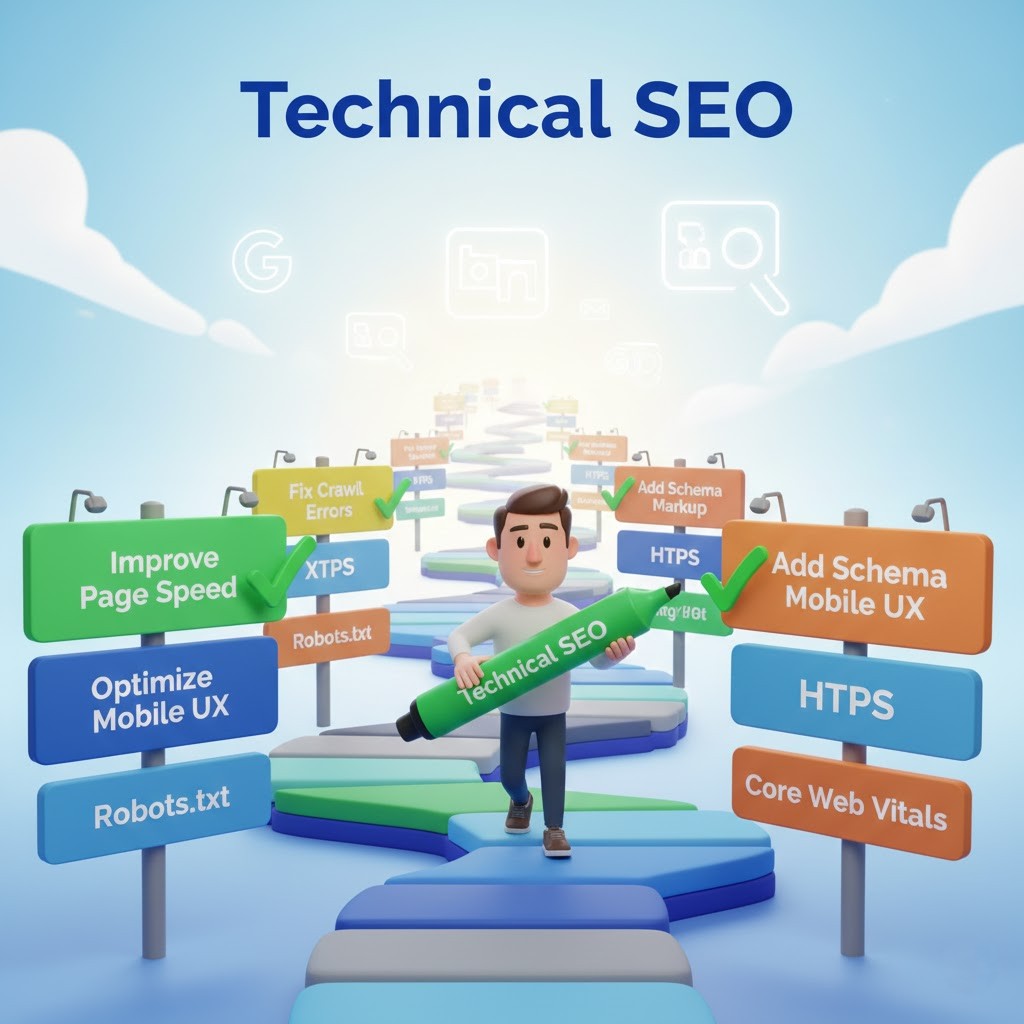
Think of your website like a house:
• Content is the furniture
• Keywords are the labels
• Technical SEO is the foundation, wiring, doors, and roads
If the foundation is weak, nothing else works.
What Technical SEO Is NOT
To understand what is technical SEO, it helps to know what it is not.
Technical SEO is NOT:
• Writing blog posts
• Adding keywords to text
• Creating social media content
• Running ads
Those fall under content SEO and marketing.
Technical SEO works behind the scenes.
Why Technical SEO Is Essential for Rankings in 2026
Search engines now behave like users.
They ask questions like:
• Is this page fast?
• Does it work on mobile?
• Can I access it safely?
• Is the structure clear?
• Can AI systems summarize it accurately?
If the answer is no, rankings drop.
That’s why understanding what is technical SEO it is no longer optional.
How Search Engines Use Technical SEO Signals
When Google visits your website, it follows this order:
- Can I access the page?
- Can I crawl it easily?
- Can I understand its structure?
- Is it fast and user-friendly?
- Is it secure?
- Is it worth indexing?
Technical SEO controls every step above.
Core Areas of Technical SEO (Beginner Overview)
To fully understand what is technical SEO, you must know its main pillars:
1. Website Crawling
Search engines use bots to scan your site.
If crawling fails, nothing ranks.
2. Indexing
Pages must be stored in Google’s index to appear in search results.
3. Site Speed
Slow websites lose rankings and users.
4. Mobile Optimization
Google uses mobile-first indexing.
5. Website Structure
Clear URLs and internal links help search engines understand content.
6. Security
HTTPS is mandatory.
7. Technical Signals for AI Search
Clean structure helps AI engines summarize your content accurately.
We’ll break each of these down step by step.
Crawling Explained in Simple Words
Crawling is how search engines read your website.
Bots move from page to page using links.
If bots cannot reach a page, that page does not exist for Google.
Technical SEO ensures:
• Important pages are crawlable
• Broken links are fixed
• Crawl budget is not wasted
Without crawling, indexing cannot happen.
Indexing: Why Pages Sometimes Don’t Appear on Google
Indexing means Google stores your page in its database.
Many beginners ask:
“Why is my page not ranking?”
Often, the answer is simple:
It is not indexed.
Technical SEO fixes indexing issues using:
• Google Search Console
• Proper meta tags
• Clean site structure
• XML sitemaps
Understanding what is technical SEO means understanding indexing control.
XML Sitemap: Your Website’s Map for Google
An XML sitemap tells Google:
“These are my important pages.”
It helps search engines:
• Discover new pages
• Index updates faster
• Understand site structure
Every SEO-friendly website needs a sitemap.
This is a key technical SEO best practice.
Robots.txt: Controlling Search Engine Access
Robots.txt tells search engines what they can and cannot crawl.
Used correctly, it helps SEO.
Used incorrectly, it can destroy rankings.
Technical SEO ensures:
• Important pages are allowed
• Admin pages are blocked
• Crawl budget is optimized
Beginners often make mistakes here.
Site Speed: A Direct Ranking Factor
Google has confirmed that speed matters.
Technical SEO improves speed by:
• Optimizing images
• Reducing code size
• Improving server response
• Using caching
Fast websites rank better and convert more.
In 2026, speed affects both Google rankings and AI search visibility.
Mobile-First Indexing Explained Simply
Google now looks at the mobile version of your site first.
If your site is not mobile-friendly:
• Rankings drop
• Users leave
• AI search ignores your content
Technical SEO ensures responsive design and mobile usability.
URL Structure: Clean URLs Rank Better
Bad URL:
example.com/page?id=12345
Good URL:
example.com/technical-seo-guide
Technical SEO focuses on:
• Short URLs
• Keyword relevance
• Logical structure
Clean URLs help both users and search engines.
Internal Linking: The Hidden Power of Technical SEO
Internal links guide search engines.
They show:
• Page importance
• Topic relationships
• Content hierarchy
Technical SEO ensures:
• No orphan pages
• Logical linking
• Balanced authority flow
This is critical for large websites.
HTTPS and Website Security
Google marks non-HTTPS sites as “Not Secure”.
Technical SEO ensures:
• SSL certificates are installed
• Secure browsing is enabled
• User trust is protected
Security directly affects rankings and credibility.
Technical SEO and AI Search Engines
AI engines prefer content that is:
• Structured
• Fast
• Clean
• Easy to summarize
Technical SEO helps AI systems:
• Extract answers
• Understand page intent
• Recommend your site
This is why technical SEO matters for ChatGPT and Perplexity results.
Common Beginner Mistakes in Technical SEO
Many beginners struggle because they:
• Ignore site speed
• Block pages accidentally
• Forget mobile users
• Don’t monitor indexing
• Focus only on content
Learning what is technical SEO early prevents these mistakes.
Who Needs Technical SEO?
Everyone.
• Bloggers
• Business owners
• E-commerce stores
• Service websites
• Personal brands
If your site exists, technical SEO applies.
Core Web Vitals Explained for Beginners
One of the most important updates in SEO over the last few years is Core Web Vitals.
To truly understand what is technical SEO, you must understand these metrics.
Core Web Vitals measure real user experience, not theory.
The Three Core Web Vitals
1. Largest Contentful Paint (LCP)
This measures how fast the main content loads.
• Good LCP: under 2.5 seconds
• Bad LCP: slow pages, poor rankings
Technical SEO improves LCP by:
• Optimizing images
• Improving server speed
• Removing heavy scripts
2. First Input Delay (FID) / Interaction to Next Paint (INP)
This measures how fast a page responds to user actions.
• Clicking a button
• Filling a form
• Opening a menu
Technical SEO reduces delay by:
• Cleaning JavaScript
• Reducing unnecessary plugins
3. Cumulative Layout Shift (CLS)
This measures visual stability.
Have you ever clicked a button and the page suddenly moved?
That is poor CLS.
Technical SEO fixes this by:
• Defining image sizes
• Preventing layout jumps
Why Core Web Vitals Matter for Rankings
Google uses Core Web Vitals as direct ranking signals.
AI search engines also favor:
• Smooth experience
• Fast loading
• Stable pages
So when people ask what is technical SEO, this is a major part of the answer.
Duplicate Content and Why It Hurts SEO
Duplicate content confuses search engines.
If Google sees the same content on multiple URLs, it asks:
“Which one should I rank?”
Technical SEO solves this problem.
Canonical Tags Explained Simply
A canonical tag tells Google:
“This is the main version of this page.”
It helps prevent:
• Ranking dilution
• Indexing confusion
• Content duplication
Technical SEO ensures canonical tags are correctly implemented.
Pagination and SEO
Large websites often split content across pages.
Example:
Page 1, Page 2, Page 3
Technical SEO ensures:
• Pagination is crawlable
• Authority flows correctly
• Pages are not blocked
This is especially important for blogs and e-commerce sites.
Structured Data and Schema Markup
Schema markup helps search engines understand content meaning.
It does not directly boost rankings, but it improves visibility.
Examples:
• FAQ schema
• Article schema
• Product schema
Technical SEO uses structured data to:
• Enhance search appearance
• Help AI engines summarize content
• Increase click-through rates
Why Schema Matters for AI Search
AI engines rely on structure.
Schema helps AI tools:
• Identify questions and answers
• Understand entities
• Extract accurate summaries
This is critical in 2026 SEO.
Image Optimization and Technical SEO
Images affect speed and crawling.
Technical SEO image best practices:
• Compress images
• Use descriptive file names
• Add alt text
• Use modern formats
Optimized images improve both SEO and accessibility.
JavaScript and Technical SEO
Modern websites use JavaScript heavily.
But search engines still struggle with complex scripts.
Technical SEO ensures:
• Important content loads without delay
• JavaScript is crawlable
• Pages render correctly
Poor JavaScript handling can destroy rankings.
404 Errors and Broken Pages
Broken pages create a bad experience.
Technical SEO involves:
• Identifying 404 errors
• Redirecting important pages
• Cleaning broken internal links
Google tracks user frustration signals.
Redirects Explained Simply
Redirects tell browsers and search engines where a page moved.
Correct technical SEO uses:
• 301 redirects for permanent moves
• Avoids redirect chains
• Preserves SEO value
Wrong redirects can cause ranking loss.
International and Language SEO Basics
If your website serves multiple languages or regions, technical SEO matters even more.
It helps:
• Search engines serve correct versions
• Avoid duplicate content
• Improve user experience
This is done using proper technical signals.
Log Files and Advanced Technical SEO (Beginner Awareness)
Log files show how search bots interact with your site.
While advanced, knowing they exist helps you understand:
• Crawl behavior
• Indexing priorities
You don’t need to master this yet, but it’s part of technical SEO.
Essential Technical SEO Tools for Beginners
You don’t need expensive tools to start.
Basic tools include:
• Google Search Console
• Google Analytics
• Page speed tools
• Browser inspection tools
These help monitor:
• Crawling
• Indexing
• Speed
• Errors
How Often Should You Do Technical SEO?
Technical SEO is not a one-time task.
You should:
• Audit monthly
• Monitor weekly
• Fix issues immediately
Websites change. Search engines update.
Technical SEO keeps your site healthy.
Technical SEO vs On-Page SEO (Simple Difference)
On-page SEO:
• Keywords
• Content
• Headings
Technical SEO:
• Site structure
• Speed
• Crawling
• Indexing
Both are required. One cannot replace the other.
Why Beginners Should Learn Technical SEO Early
Many people delay technical SEO because it sounds complex.
But beginners who learn it early:
• Avoid costly mistakes
• Rank faster
• Build strong foundations
Understanding what is technical SEO gives you long-term advantage.
Signs Your Website Has Technical SEO Issues
• Pages not indexed
• Slow loading
• High bounce rate
• Mobile errors
• Ranking drops
These are signals to audit technical SEO.
Preparing for the Future of Technical SEO
In 2026 and beyond:
• AI search will grow
• User experience will matter more
• Technical cleanliness will decide trust
Technical SEO is future-proof SEO.
A Simple Technical SEO Checklist for Beginners (2026)
If you understand this checklist, you understand what is technical SEO at a practical level.
Website Accessibility
- Ensure the site loads properly
- Use HTTPS security
- No blocked important pages
Crawling and Indexing
- Submit XML sitemap
- Check robots.txt
- Monitor indexing in Search Console
Site Speed
- Optimize images
- Reduce unused scripts
- Improve server response time
Mobile Optimization
- Responsive design
- Mobile-friendly text and buttons
- No horizontal scrolling
Site Structure
- Clean URL structure
- Logical internal linking
- No orphan pages
Technical Health
- Fix broken links
- Handle redirects properly
- Avoid duplicate content
AI and Future Readiness
- Structured content
- Schema markup where needed
- Clear page purpose
This checklist alone can solve most beginner technical SEO problems.
25 FAQs About Technical SEO (People Also Ask Style)
1. What is technical SEO in simple words?
Technical SEO helps search engines crawl, understand, and rank your website properly.
2. Why is technical SEO important?
Without technical SEO, even high-quality content may not rank.
3. Is technical SEO difficult to learn?
No. Basics are easy to understand with step-by-step practice.
4. What is the difference between technical SEO and on-page SEO?
Technical SEO focuses on website structure and performance, while on-page SEO focuses on content and keywords.
5. Do beginners really need technical SEO?
Yes. Beginners benefit the most by fixing issues early.
6. What tools are used for technical SEO?
Google Search Console, Google Analytics, and page speed tools.
7. How long does technical SEO take?
Basic fixes can be done in days. Ongoing monitoring is continuous.
8. Is site speed part of technical SEO?
Yes. Site speed is a confirmed ranking factor.
9. Does technical SEO help AI search engines?
Yes. Clean structure helps AI tools summarize and trust content.
10. What are Core Web Vitals?
They measure page speed, interaction, and visual stability.
11. Can technical SEO improve rankings alone?
It creates the foundation. Content and backlinks still matter.
12. What is an XML sitemap?
A file that helps search engines find important pages.
External reference: Google Search Central documentation.
13. What is robots.txt?
A file that controls what search engines can crawl.
External reference: Google robots.txt guidelines.
14. What is duplicate content in technical SEO?
Content that appears on multiple URLs confuses search engines.
15. What is a canonical tag?
It tells search engines which page version to rank.
16. Does HTTPS affect SEO?
Yes. Google prefers secure websites.
17. How often should technical SEO be checked?
At least once a month for healthy sites.
18. What is mobile-first indexing?
Google ranks your site based on its mobile version.
19. Are broken links bad for SEO?
Yes. They harm user experience and crawl efficiency.
20. Can technical SEO fix indexing issues?
Yes. It directly controls indexing behavior.
21. What is structured data in technical SEO?
Code that helps search engines understand content meaning.
22. Does technical SEO affect bounce rate?
Yes. Slow or broken sites increase bounce rate.
23. Can WordPress sites need technical SEO?
Yes. Every platform needs technical SEO.
24. Is technical SEO a one-time task?
No. It requires ongoing monitoring.
25. What is the future of technical SEO?
AI-driven search and user experience will make it more important.
Why Technical SEO Will Decide Rankings in 2026 and Beyond
Search engines are becoming smarter.
They no longer guess quality.
They measure it.
Technical SEO sends trust signals:
- Fast performance
- Clean structure
- Secure experience
- Clear intent
AI systems rely on these signals even more than humans do.
If you understand what is technical SEO ? you can future-proof your website.
Final Thoughts: Technical SEO Is the Foundation of All SEO
You can:
- Write great content
- Use perfect keywords
- Build strong backlinks
But without technical SEO, none of it works fully.
Technical SEO is not about being a developer.
It is about removing friction between your website and search engines.
That is why it decides rankings in 2026.
If you are just starting your SEO journey and want to build strong fundamentals before diving deeper, begin here:
Learn SEO from the ground up: https://digitalgeetha.com/seo-keyword-research/
Understanding technical SEO becomes much easier when you already know how SEO works as a whole.